Trap&Gal
# TRAP & GAL
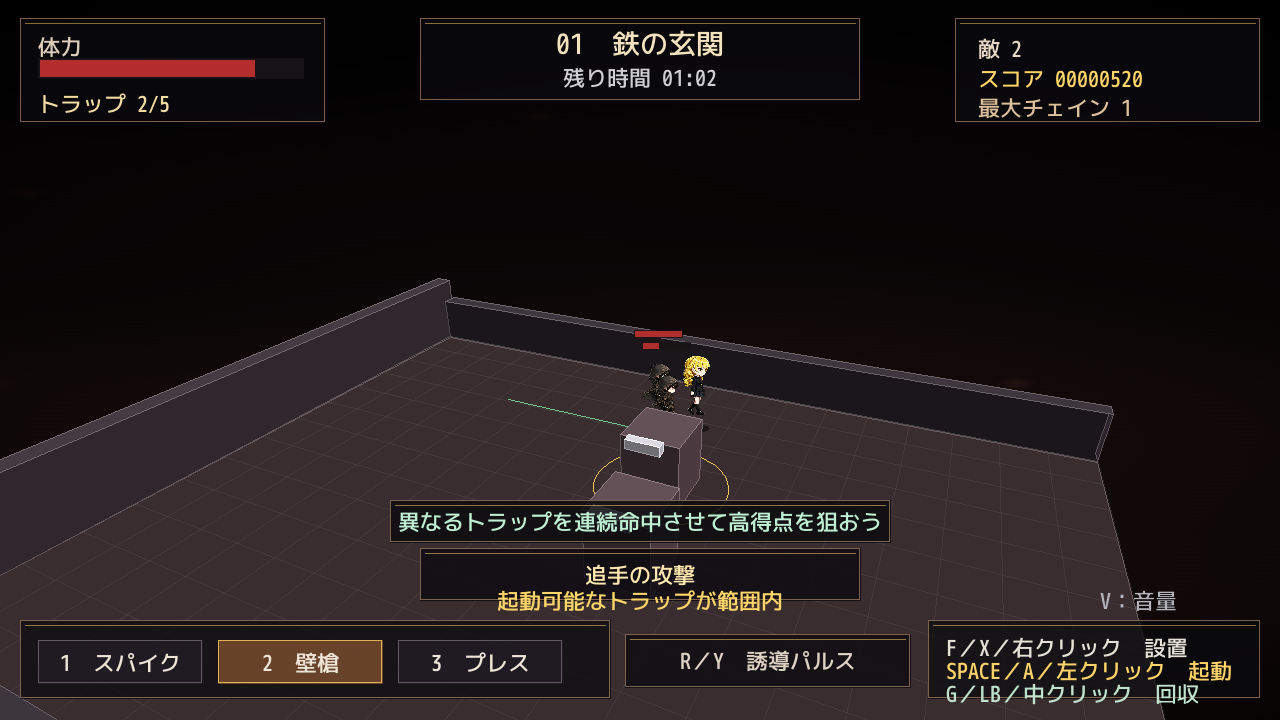
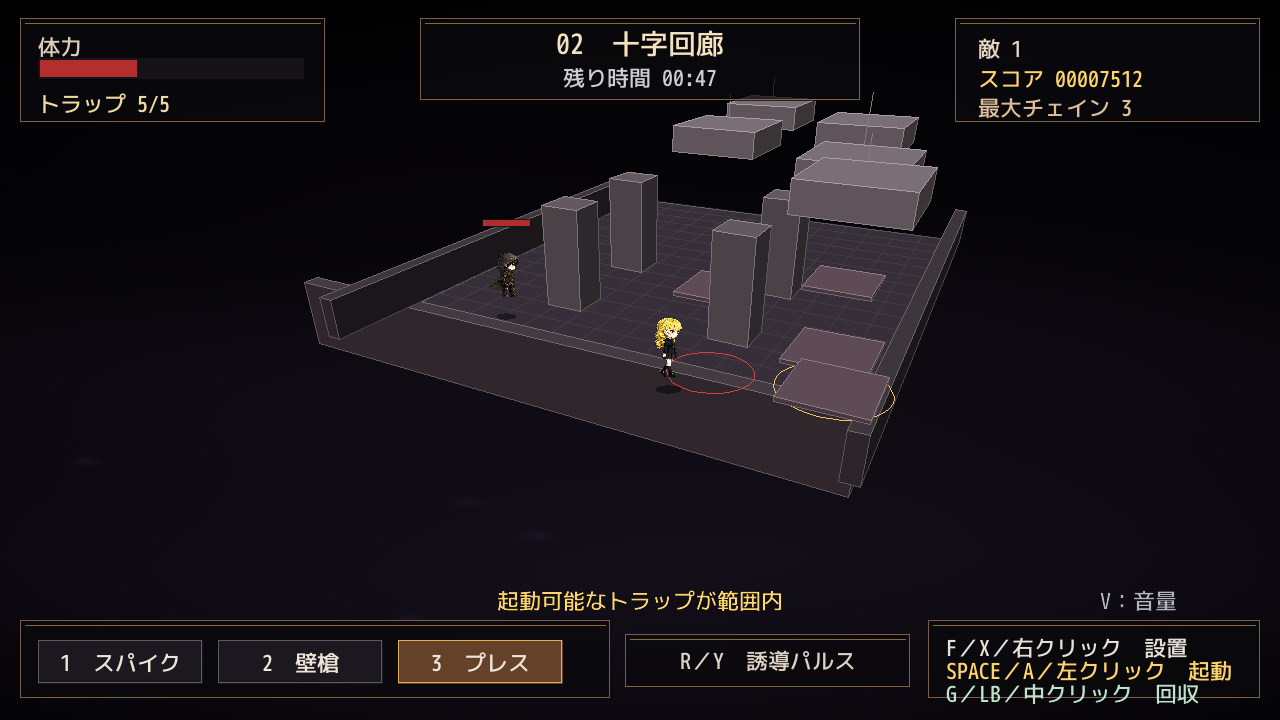
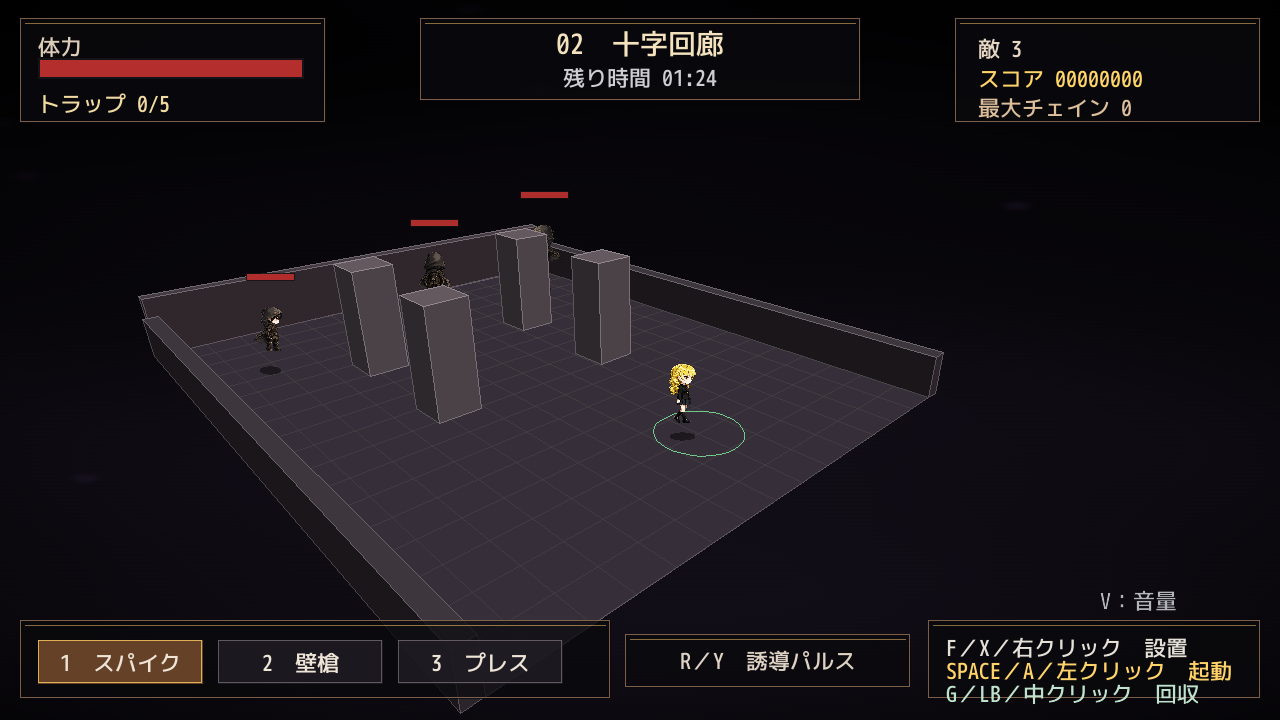
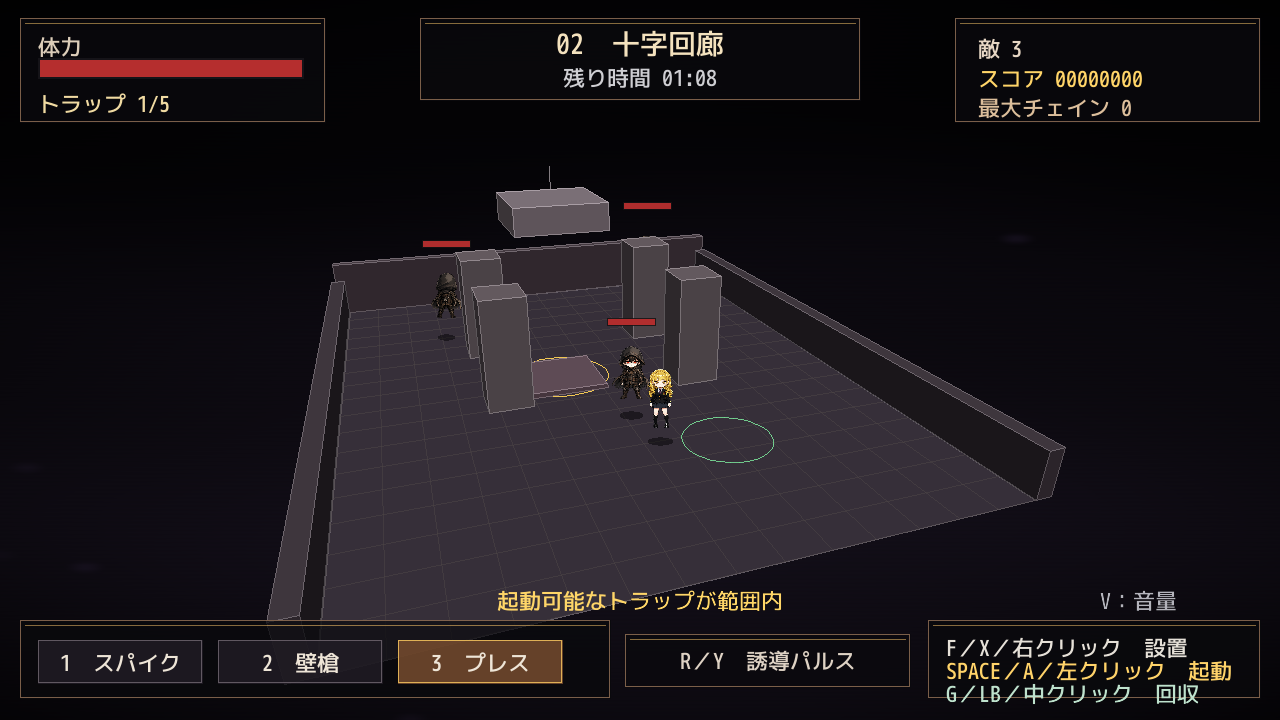
トラップを設置・起動し、追手を誘導して撃破するアクションゲームです。
ステージごとの特徴を利用しながら、高いスコアとランクを目指してください。
---
# 日本語
## 基本操作
### キーボード / マウス
| 操作 | キー / マウス |
|---|---|
| 移動 | `WASD` / `矢印キー` |
| カメラ回転 | マウス左右移動 |
| カメラ回転(キーボード) | `Q` / `E` |
| トラップ設置 | `F` / マウス右クリック |
| 近くのトラップを回収 | `G` / マウス中クリック |
| 近くのトラップを起動 | `SPACE` / マウス左クリック |
| 敵を誘導する | `R` |
| トラップ種類を切り替える | `TAB` |
| 床スパイクを選択 | `1` |
| 壁槍を選択 | `2` |
| 天井プレスを選択 | `3` |
| タイトルへ戻る | `BACKSPACE` |
| マウスカーソル表示 / 非表示 | `ESC` |
| フルスクリーン切り替え(Windows) | `Alt + Enter` |
| 音量設定を開く / 閉じる | `V` |
| 日本語 / English 切り替え | `L`(タイトル画面) |
## ESCキーについて
ゲーム画面内では、マウスカーソルは**基本的に非表示**です。
`ESC` キーを押すたびに、マウスカーソルの **表示 / 非表示** を切り替えることができます。
- カーソル非表示中でも、マウス左右移動によるカメラ操作は使用できます。
- マウス左クリック:近くのトラップを起動
- マウス右クリック:トラップを設置
- マウス中クリック:近くのトラップを回収
- Windows版では `ESC` でゲームを終了することはありません。
- Web版をブラウザのフルスクリーンで使用している場合、ブラウザ側が `ESC` をフルスクリーン解除として先に処理する場合があります。
- Web版で `ESC` がブラウザに処理された場合は、フルスクリーン解除後にもう一度 `ESC` を押すと、ゲーム側のカーソル表示切り替えが行える場合があります。
## Alt + Enter について
### Windows版
`Alt + Enter` を押すと、**ウィンドウ表示 / フルスクリーン表示**を切り替えることができます。
- ウィンドウ表示 → フルスクリーン
- フルスクリーン → ウィンドウ表示
タイトル画面・ゲーム中・リザルト画面・ゲームクリア画面で使用できます。
### Web版
Web版では `Alt + Enter` ではなく、Webページ側のフルスクリーンボタンを使用してください。
ブラウザの仕様により、フルスクリーン中に `ESC` を押すと、ゲームのカーソル切り替えより先にブラウザのフルスクリーン解除が実行される場合があります。
## ゲームパッド
| 操作 | ゲームパッド |
|---|---|
| 移動 | 左スティック / 十字キー |
| カメラ回転 | 右スティック |
| トラップ設置 | `X` |
| 近くのトラップを回収 | `LB` |
| 近くのトラップを起動 | `A` |
| 敵を誘導する | `Y` |
| トラップ種類を切り替える | `B` |
| 決定 | `A` / `START` |
## トラップ
ゲーム中は3種類のトラップを使用できます。
- **床スパイク / FLOOR SPIKES**
- **壁槍 / WALL SPEAR**
- **天井プレス / CEILING PRESS**
敵をトラップへ誘導してから起動してください。
自分自身もトラップに巻き込まれるため、発動位置には注意してください。
## タイトル画面
- `← / →` または `A / D`:ステージ選択
- `SPACE` / パッド `A` / `START`:ゲーム開始
- `L`:日本語 / English 切り替え
- `V`:音量設定
- `ESC`:マウスカーソル表示 / 非表示
- `Alt + Enter`:フルスクリーン切り替え(Windows版)
## 音量設定
`V` で音量メニューを開閉します。
- `↑ / ↓` または `W / S`:項目選択
- `← / →` または `A / D`:音量変更
- 設定項目:**MASTER / BGM / SE**
- 変更内容は自動保存されます。
## リザルト / ゲームオーバー
- `SPACE` / パッド `A` / `START`:次のステージへ
- Stage 10クリア後はゲームクリア画面へ進みます。
- `R` / パッド `X`:リトライ
- `BACKSPACE`:タイトルへ戻る
- `V`:音量設定
- `ESC`:マウスカーソル表示 / 非表示
- `Alt + Enter`:フルスクリーン切り替え(Windows版)
ゲームクリア画面では `SPACE` / パッド `A` / `START` でタイトルへ戻ります。
## ウィンドウ操作
### Windows版
- `Alt + Enter`:フルスクリーン切り替え
- `Alt + Backspace`:ウィンドウ倍率をリセット
- `ESC`:マウスカーソル表示 / 非表示
### Web版
- Webページ側のフルスクリーンボタン:フルスクリーン切り替え
- `ESC`:通常はマウスカーソル表示 / 非表示
- ブラウザのフルスクリーン中は、`ESC` がフルスクリーン解除として優先される場合があります。
---
# English
## Basic Controls
### Keyboard / Mouse
| Action | Key / Mouse |
|---|---|
| Move | `WASD` / Arrow Keys |
| Rotate Camera | Horizontal mouse movement |
| Rotate Camera (Keyboard) | `Q` / `E` |
| Place Trap | `F` / Right Mouse Button |
| Recover Nearby Trap | `G` / Middle Mouse Button |
| Trigger Nearby Trap | `SPACE` / Left Mouse Button |
| Lure Enemies | `R` |
| Cycle Trap Type | `TAB` |
| Select Floor Spikes | `1` |
| Select Wall Spear | `2` |
| Select Ceiling Press | `3` |
| Return to Title | `BACKSPACE` |
| Show / Hide Mouse Cursor | `ESC` |
| Toggle Fullscreen (Windows) | `Alt + Enter` |
| Open / Close Volume Menu | `V` |
| Japanese / English | `L` on the title screen |
## About the ESC Key
The mouse cursor is **hidden by default** while the pointer is inside the game window.
Press `ESC` to toggle the mouse cursor **visible / hidden**.
- Camera rotation with horizontal mouse movement still works while the cursor is hidden.
- Left Mouse Button: Trigger a nearby trap
- Right Mouse Button: Place a trap
- Middle Mouse Button: Recover a nearby trap
- On Windows, `ESC` does not quit the game.
- In the Web version, the browser may handle `ESC` first when the browser is in fullscreen mode.
- If the browser exits fullscreen after pressing `ESC`, press `ESC` again to toggle the in-game cursor when necessary.
## About Alt + Enter
### Windows Version
Press `Alt + Enter` to toggle between **windowed mode and fullscreen mode**.
- Windowed → Fullscreen
- Fullscreen → Windowed
This shortcut can be used on the title screen, during gameplay, on the result screen, and on the game clear screen.
### Web Version
The Web version uses the fullscreen button provided on the web page instead of `Alt + Enter`.
Depending on the browser, pressing `ESC` while in browser fullscreen mode may exit fullscreen before the game receives the key for cursor visibility.
## Gamepad
| Action | Gamepad |
|---|---|
| Move | Left Stick / D-Pad |
| Rotate Camera | Right Stick |
| Place Trap | `X` |
| Recover Nearby Trap | `LB` |
| Trigger Nearby Trap | `A` |
| Lure Enemies | `Y` |
| Cycle Trap Type | `B` |
| Confirm | `A` / `START` |
## Traps
Three trap types are available during gameplay:
- **FLOOR SPIKES / 床スパイク**
- **WALL SPEAR / 壁槍**
- **CEILING PRESS / 天井プレス**
Lure enemies into your traps and trigger them at the right moment.
Be careful: your own traps can damage you as well.
## Title Screen
- `Left / Right` or `A / D`: Select Stage
- `SPACE` / Gamepad `A` / `START`: Begin
- `L`: Switch Japanese / English
- `V`: Volume Settings
- `ESC`: Show / Hide Mouse Cursor
- `Alt + Enter`: Toggle Fullscreen (Windows)
## Volume Settings
Press `V` to open or close the volume menu.
- `Up / Down` or `W / S`: Select item
- `Left / Right` or `A / D`: Adjust volume
- Available settings: **MASTER / BGM / SE**
- Changes are saved automatically.
## Result / Game Over
- `SPACE` / Gamepad `A` / `START`: Next Stage
- After clearing Stage 10, proceed to the Game Clear screen.
- `R` / Gamepad `X`: Retry
- `BACKSPACE`: Return to Title
- `V`: Volume Settings
- `ESC`: Show / Hide Mouse Cursor
- `Alt + Enter`: Toggle Fullscreen (Windows)
On the Game Clear screen, press `SPACE` / Gamepad `A` / `START` to return to the title screen.
## Window Controls
### Windows
- `Alt + Enter`: Toggle fullscreen
- `Alt + Backspace`: Reset window scale
- `ESC`: Show / Hide mouse cursor
### Web
- Use the fullscreen button on the web page to toggle fullscreen mode.
- `ESC` normally toggles the in-game mouse cursor.
- While the browser is in fullscreen mode, the browser may use `ESC` to exit fullscreen first.
---
# Copyright / License Notice
**日本語**
©かっちゃん堂
本作品の著作権は、かっちゃん堂に帰属します。
**English**
©kacchandou
Copyright belongs to kacchandou.
Download
Click download now to get access to the following files:
Development log
- web version small Update7 days ago
- trap update7 days ago
- WEB version ADD7 days ago
- new game7 days ago
Leave a comment
Log in with itch.io to leave a comment.